
Want to stream content from other countries on your Smart TV? A VPN helps you unlock region-blocked shows, protect your privacy, and avoid slowdowns caused by your internet provider.
In 2026, several top-rated VPNs offer smooth streaming, easy setup, and reliable performance across popular Smart TV brands.
This guide covers five of the best VPNs for Smart TVs and how to install them, so you can enjoy buffer-free entertainment from anywhere in the world.
What Is The Best VPN For Smart TV?
The “best” VPN for Smart TV depends on what you need, whether it’s faster streaming, better privacy, or the ability to use it on multiple devices at once.
For a VPN to work well on Smart TVs, it should offer:
- A native app for Android TV or Fire TV.
- Fast servers optimized for HD/4K streaming.
- Smart server selection (to avoid manual switching).
- Strong security and no-logs policy.
- Support for router connections or smart DNS for TVs without app support.
In 2026, there are several VPNs that consistently meet these criteria. Among the most popular choices are NordVPN, ExpressVPN, Surfshark, CyberGhost, and Private Internet Access.
Each offers different strengths in terms of speed, usability, and privacy, and we’ll cover them in detail next.
Top 5 VPN For Smart TVs In 2026
I’ve carefully reviewed the top-rated VPNs that consistently perform well for streaming across different platforms. These five stand out for their strong reputation, user feedback, and compatibility with Smart TVs.
| VPN Service | Monthly Price | Smart TV Apps | Server Count | Money-Back Guarantee |
|---|---|---|---|---|
| NordVPN | $12.69 | Android TV, Fire TV | 165 countries | 30 days |
| ExpressVPN | $12.95 | Android TV, Fire TV | 105 countries | 30 days |
| Surfshark | $9.99 | Android TV, Fire TV | 3,200+ in 100 locations | 30 days |
| CyberGhost | $12.99 | Android TV, Fire TV | 100 countries | 45 days |
| Private Internet Access | $11.95 | Android TV, Fire TV | 91 countries | 30 days |
Each VPN has its own strengths, whether it’s in terms of streaming speed, privacy features, or ease of use on Smart TVs. Here’s how they compare, so you can determine which one best fits your needs.
1. NordVPN – Best overall for streaming and security on Smart TV
NordVPN supports Android TV and Fire TV with native apps and offers seamless setup via routers or Smart DNS for other TVs. Its standard pricing is $12.69/month, but long-term plans bring it down to $3.39/month.
Their smart technology finds the best server automatically, so you don’t waste time testing different ones.
They use strong security to protect your data and block annoying ads while you watch shows. Setting it up takes just a few minutes.
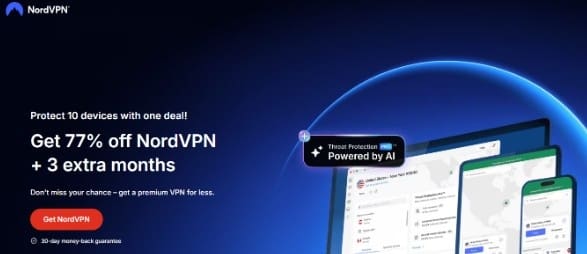
What makes NordVPN special is how well it handles busy times. NordVPN performs well even during peak hours when everyone’s watching Netflix. Their dedicated servers for streaming ensure consistent access
2. ExpressVPN – Fastest speeds for 4K streaming
ExpressVPN offers native support for Android TV and Fire TV, along with flexible setup options for other Smart TVs via routers or Smart DNS. It’s priced at $12.95/month, with discounted plans starting at $4.99/month.
Streaming remains smooth even during peak times. Additionally, their customer support is responsive and helpful, a rare find in many VPN services.
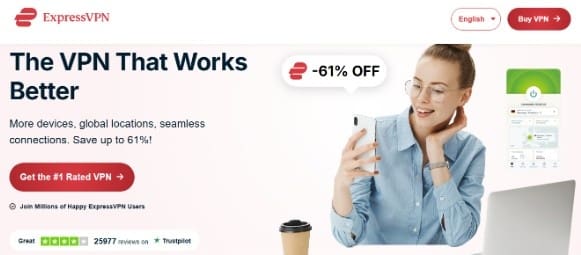
ExpressVPN stays fast when other services struggle. During significant events, such as sports finals or the release of new shows, they maintain their speed, while competitors struggle to keep up. This makes the higher price worth it for serious streamers.
And if you’re into sports, especially cricket, here’s how you can watch IPL live in the USA using a compatible streaming service with a VPN.
3. Surfshark – Best budget option with unlimited devices
Surfshark offers unlimited connections and functions smoothly on Android TV and Fire TV, with router-based options available for other models. While the standard price is $9.99/month, you can get it for $2.49/month through a biannual deal with bonus months.
This means your whole family can use one account on all your TVs, phones, and computers. They also block ads automatically, which makes streaming much better.
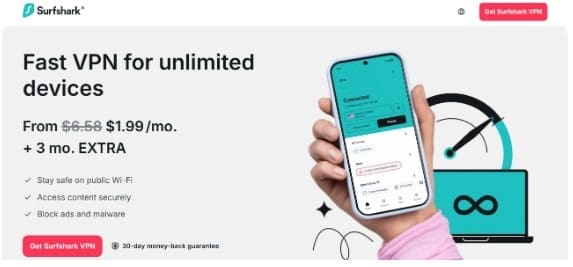
Surfshark saves you money if you have multiple devices or a big family. Instead of paying for each device separately, one subscription covers everything. This makes it perfect for households with several smart TVs.
4. CyberGhost – Great Smart TV Compatibility with Streaming-Optimized Servers
CyberGhost offers dedicated apps for Android TV and Fire TV, while also supporting Smart DNS and router setup for broader Smart TV compatibility.
Long-term plans start at $2.19/month, compared to the regular $12.99/month rate.
Their servers are labeled things like “For Netflix US” or “For BBC iPlayer,” so you just click and connect. No guessing which server works best. They also give you 45 days to get your money back if you don’t like it.
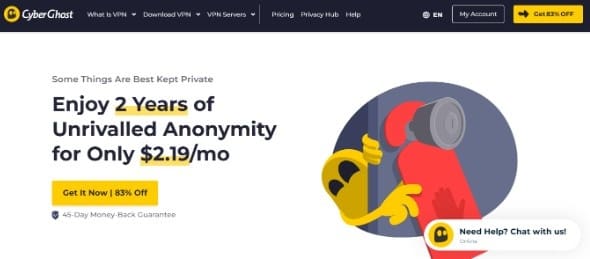
CyberGhost takes away all the confusion. They test their servers for you and tell you exactly which one to use for each streaming service. This makes it perfect for people who want things to just work without any hassle.
5. Private Internet Access (PIA) – Most affordable with strong privacy features
Private Internet Access (PIA) works across major Smart TV systems via direct apps, routers, or Smart DNS. Although the standard monthly rate is $11.95, extended plans reduce the cost to just $2.03/month.
It focuses heavily on keeping your data private. They’ve proven in court that they don’t keep records of what you do online. You get simple connections but also advanced options if you want to change settings.
PIA appeals to people who care most about privacy. They’ve been taken to court and proved they actually delete your data, which isn’t just marketing talk. This makes them trustworthy for people who want complete privacy.
These five options cater to everyone’s needs, whether you’re looking for the best value or the highest level of privacy protection.
How To Install a VPN On a Smart TV?
The method you choose to set up a VPN will depend on the type of smart TV you own.
Below, we’ve explained the most reliable setup options available for different TV systems, so you can follow the one that suits your model.
Method 1: Direct App Installation (Android TV/Fire TV)
- Step 1: Go to your TV’s app store and search for your VPN provider’s app.
- Step 2: Download and install the official app onto your smart TV.
- Step 3: Open the app and sign in with your account details.
- Step 4: Choose a server location based on what you want to watch.
- Step 5: Connect and then open your streaming apps, they’ll automatically use the VPN.
Method 2: Router Setup
- Step 1: Open any web browser and type in your router’s IP address to access its settings.
- Step 2: Find the VPN section and enter your provider’s server details exactly as they give them to you.
- Step 3: Save the settings and restart your router to make the changes work.
- Step 4: Connect your smart TV to your WiFi; it’s now automatically protected.
- Step 5: Every device in your house gets VPN protection without setting up each one individually.
Method 3: Mobile Hotspot
- Step 1: Install your VPN app on your phone and connect to any server you want.
- Step 2: Turn on the mobile hotspot in your phone’s settings to share the connection.
- Step 3: Connect your smart TV to your phone’s hotspot network.
- Step 4: Start streaming, all your TV’s internet goes through the VPN automatically.
Each method works well, so pick the one that seems easiest for your situation. The router method protects everything in your house, while the phone method is quicker to try.
| TV Brand/OS | Direct App | Router Setup | Mobile Hotspot | Smart DNS |
|---|---|---|---|---|
| Android TV | ✅ | ✅ | ✅ | ✅ |
| Samsung Tizen | ❌ | ✅ | ✅ | ✅ |
| LG webOS | ❌ | ✅ | ✅ | ✅ |
| Roku TV | ❌ | ✅ | ✅ | ✅ |
| Fire TV | ✅ | ✅ | ✅ | ✅ |
This table shows which methods can be compatible with the most popular TV brands. This saves you time trying methods that won’t work with your specific model.
Does Netflix VPN Trick Still Work In 2026?
Yes, but only if you use a reliable VPN. Netflix has systems in place that detect and block many VPN connections, especially the free or outdated ones.
That’s why most free VPNs stop working quickly; they don’t update their servers regularly.
Paid providers like NordVPN and ExpressVPN continually add new servers that still work with Netflix, even when others are blocked.
If you’re planning to switch regions or accounts, it’s also a good idea to log out of Netflix on your smart TV first. This helps clear any saved location data that might interfere with your VPN connection.
Free vs Paid VPN For Smart TV – Which Is Better?
Free VPNs often come with strict limitations, like data caps, slower speeds, and fewer server options. This makes it difficult to stream without buffering or unexpected interruptions.
Most also struggle to bypass region blocks on platforms like Netflix or BBC iPlayer. Paid VPNs, on the other hand, offer improved performance, enhanced security, and stable access to content across various regions.
If consistent streaming matters to you, the upgrade is usually worth the small monthly fee.
Is It Safe To Use VPNs on Your Smart TV?
Using good VPN services is completely safe and actually makes your TV more secure. A good service will protect your data and ensure your streaming activity remains private from your internet provider.
It also helps avoid slowdowns during peak hours. Avoid free or unknown VPNs, as they often display ads or track your online activity.
Also Read:
Conclusion: NordVPN Is The Best VPN For Smart TV In 2026
NordVPN gives you the best balance of good streaming, strong security, and easy setup. ExpressVPN works great if you need the fastest speeds for 4K shows. Surfshark offers excellent value if you have a big family or many devices.
All these VPNs for Smart TV services let you try them risk-free with money-back promises.
Using a reliable VPN on your Smart TV not only helps you access geo-blocked content but also enhances streaming stability, reduces buffering, and keeps your watching activity private.
Whether you’re streaming international shows or securing your home network, a good VPN ensures a smoother and safer entertainment experience.
FAQs
Most smart TVs support VPNs through direct apps, router setup, or phone hotspot sharing, depending on what type of TV you have.
Free VPNs exist, but have data limits and slow speeds that make them bad for watching shows reliably.
NordVPN has apps for Android TV and Fire TV devices, while other TV types need router setup or other methods.
Roku doesn’t allow VPN apps directly, so you need router setup or phone hotspot sharing to protect Roku devices.
Netflix blocks VPN traffic, but won’t close your account; you’ll just see error messages until you find working servers.
VPN use is legal in most countries, though it might break streaming service rules without any legal problems for you.
