
Can’t stream your favorite shows on Roku due to region blocks? Roku doesn’t natively support VPN applications due to its closed operating system architecture.
But, there’s a fix that works flawlessly and unlocks content libraries like Netflix, Hulu, and BBC iPlayer. Router-level or virtual VPN setups provide the only viable solution for bypassing these geographical limitations.
This guide presents five expert-recommended VPNs specifically tested for Roku compatibility, along with detailed step-by-step setup instructions for different technical skill levels.
Top 5 VPNs For Roku TV Streaming
To stream securely on Roku and unlock geo-restricted platforms like Netflix, Hulu, and BBC iPlayer, choosing the right VPN is essential.
The following services are tested for streaming speed, ease of setup on Roku-compatible routers, and privacy protection.
These VPNs also support users seeking device-wide protection, particularly beneficial when exploring reliable cable TV alternatives that eliminate the need for traditional subscriptions.
| VPN Service | Server Coverage | Router Support | Smart DNS | Monthly Price | Speed Rating |
|---|---|---|---|---|---|
| ExpressVPN | 105 countries | ✓ | ✓ | $12.99 | 9.8/10 |
| NordVPN | 126 Countries | ✓ | ✓ | $12.99 | 9.5/10 |
| Surfshark | 100 countries | ✓ | ✓ | $15.45 | 9.0/10 |
| CyberGhost | 100 countries | ✓ | ✓ | $12.99 | 8.8/10 |
| IPVanish | 145+ countries | ✓ | ✗ | $12.99 | 8.5/10 |
All listed options provide router-level protection capabilities; however, Smart DNS features are only available with select providers.
How VPNs Work With Roku Devices?
Roku devices do not support VPN apps due to their closed operating system, meaning you cannot install a VPN directly on the device.
However, you can still use a VPN with Roku by setting it up on your Wi-Fi router or using a virtual VPN hotspot through your computer. This way, Roku connects to a VPN-enabled network without needing to run a VPN app itself.
- Roku OS blocks all third-party VPN apps.
- VPN must be set up through your router or computer.
- Your traffic is routed through encrypted VPN servers.
- Your IP address changes, allowing access to global content.
- All devices on that network benefit from VPN protection.
This technical implementation appears complex initially, but the step-by-step methods outlined below make implementation very manageable.
Modern VPN providers offer dedicated router applications that simplify the installation process significantly.
1. ExpressVPN – Premium Choice
ExpressVPN is widely considered the top choice for Roku users. With servers in 105+ countries and strong router support, it ensures fast, secure access to global content. Its dedicated router app makes setup smooth, even for beginners.
Plans start at $3.49/month (with long-term discounts), and the service maintains 99.9% uptime, ensuring smooth streaming even during peak hours.
It also works well for streaming regional IPTV channels. For a complete walkthrough, check out the guide on setting up IPTV on Roku. It explains how to use Developer Mode and highlights key limitations to consider.
2. NordVPN – Best Overall Value
NordVPN balances performance and affordability, with servers in 126 countries and dedicated streaming categories optimized for platforms like Netflix, Disney+, and Prime Video.
It also supports Smart DNS, a helpful alternative for faster streaming without full encryption.
The router setup is beginner-friendly, requiring just three configuration steps via the web interface. Each subscription supports up to 10 simultaneous devices, making it ideal for households with multiple users.
3. Surfshark – Budget Champion
If you’re looking for affordability without compromising features, Surfshark is a standout. It allows unlimited device connections, meaning your entire home can stream securely on one account, including Roku.
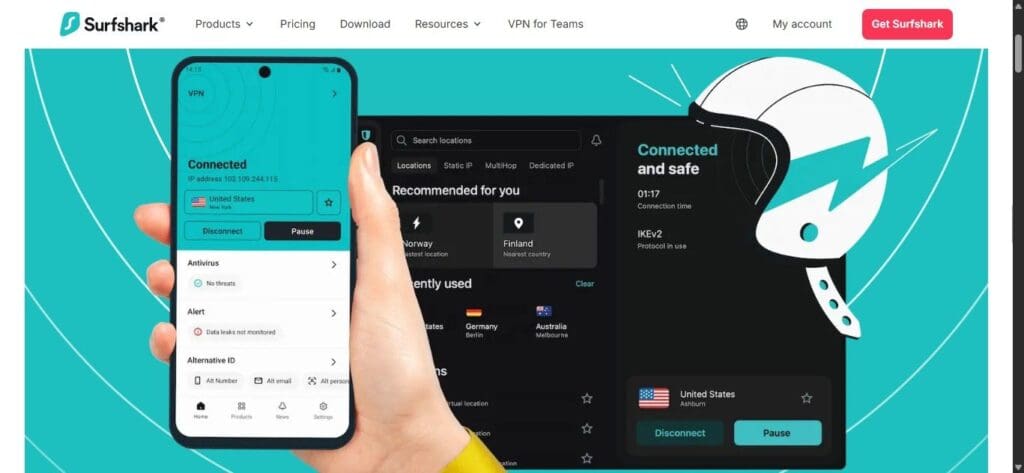
Its CleanWeb feature blocks ads and trackers, improving the overall streaming experience. With servers in 100 countries and support for Netflix, Hulu, and more, Surfshark remains fast and reliable.
Annual plans offer up to 60% savings, making it a good option for budget-conscious users.
4. CyberGhost – User-Friendly Option
CyberGhost is designed with ease of use in mind. It offers pre-configured servers for specific streaming platforms like Netflix, Hulu, and Disney+, ensuring you get the right server without trial and error.
The router setup includes step-by-step visual guides, making it one of the easiest VPNs to configure if you’re new to VPNs or networking. With a generous 45-day refund policy, you can test everything risk-free.
5. IPVanish – US-Based Provider
IPVanish is a U.S.-based VPN with a focus on domestic streaming content. It supports manual router configuration and includes unlimited device connections with every plan which is ideal for families or shared living spaces.
While it doesn’t offer Smart DNS, IPVanish has strong security credentials, including independently audited no-log policies. It’s a good choice if you’re mainly looking to access U.S. platforms securely.
Step-by-Step VPN Setup Guide For Roku Streaming
Since Roku devices can’t install VPN applications directly, users must rely on router-level or virtual setups. Three primary methods accommodate different technical skill levels and network environments.
Connection selection depends on router access levels, technical expertise, and whether the installation is permanent or temporary.
Primary Connection Methods:
- Router-Level Installation: Complete protection for all network devices with permanent configuration.
- Virtual Router Creation: Computer-dependent solution suitable for temporary streaming sessions or travel scenarios.
- Smart DNS Configuration: Fastest connection speeds with reduced security features for basic geographic bypassing.
Unlike a VPN, Smart DNS doesn’t encrypt your traffic, but it tricks platforms into showing you region-locked content.
1. Router App Installation
This method applies when VPN providers offer dedicated router applications with automated installation procedures.
Configuration Steps:
- Verify router model compatibility through VPN provider documentation and supported firmware lists.
- Download router-specific application files from the VPN account dashboard or provider website.
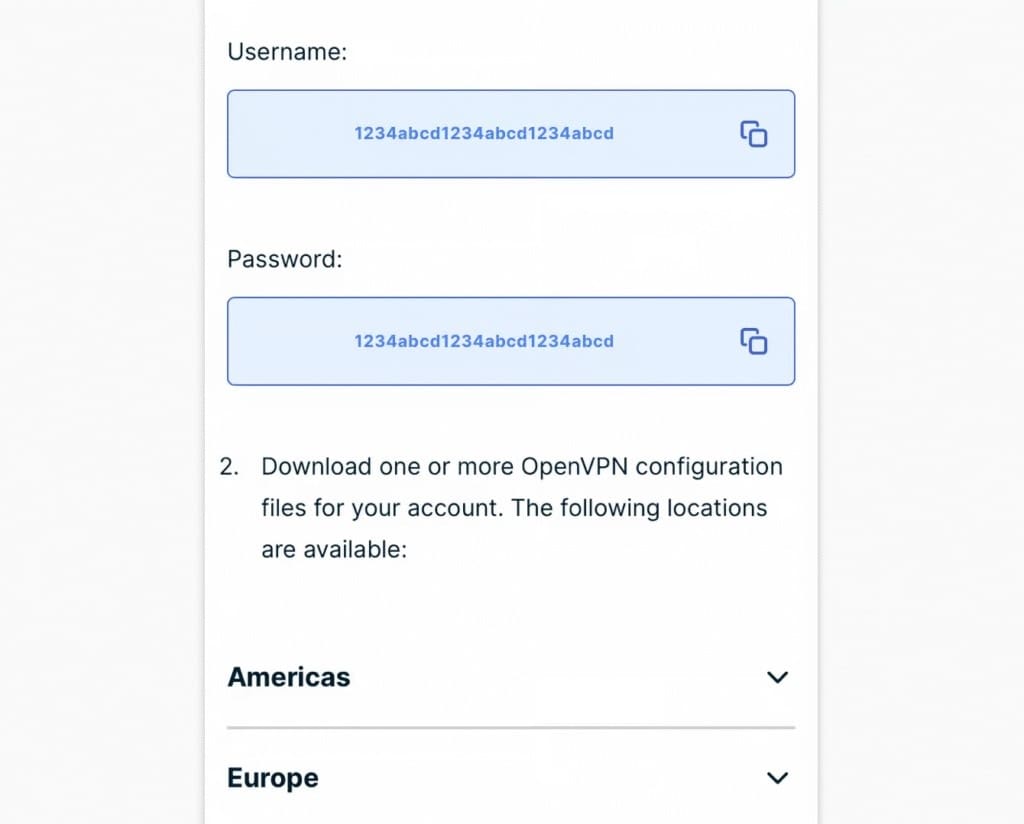
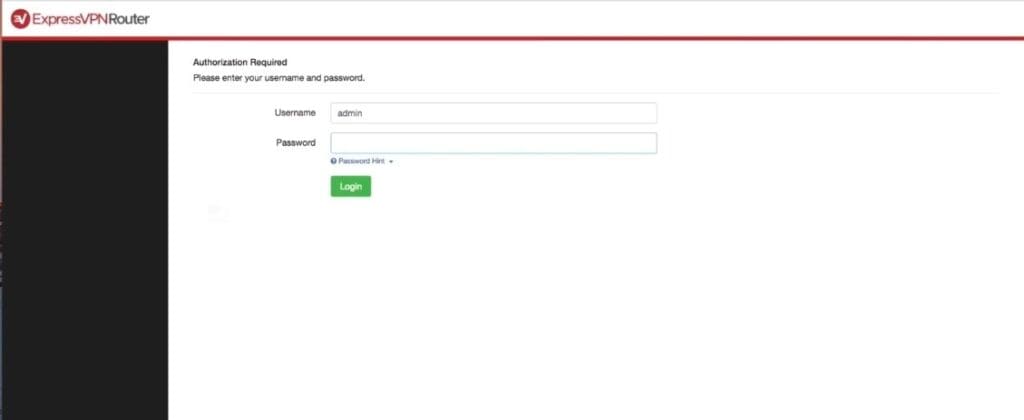
- Install the application via your router’s admin panel. In some cases, you may need to update or replace the firmware (like DD-WRT or OpenWRT).
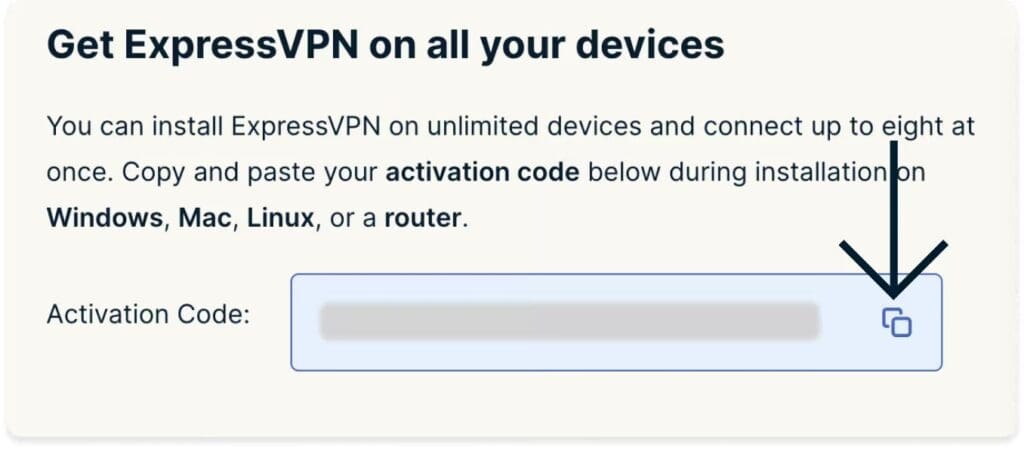
- Authenticate using VPN account credentials and select optimal server locations for streaming content.
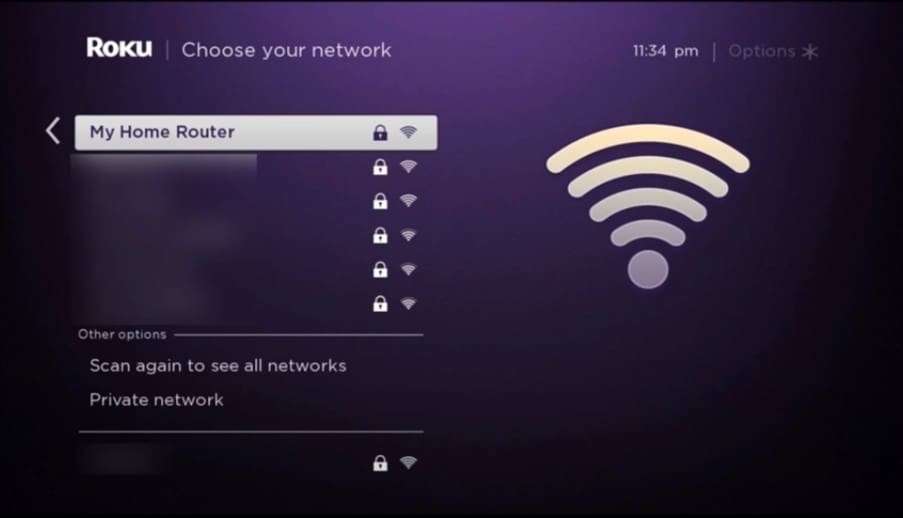
- Connect the Roku device to the newly configured VPN-protected wireless network for immediate protection.
Best for: Homes with multiple streaming devices where VPN protection is needed full-time.
2. Manual Router Configuration
Manual setup procedures apply to VPN-compatible routers lacking dedicated application support from providers. Make sure your router firmware supports OpenVPN or similar protocols.
Implementation Steps:
- Access the router administration panel through a web browser using the default gateway addresses (typically 192.168.1.1 or similar address).
- Navigate to VPN configuration sections within the advanced networking settings menus.
- Input VPN server addresses, authentication credentials, and encryption parameters from provider documentation.
- Save configuration changes and perform complete router restart procedures for setting activation.
- Connect the Roku device to the reconfigured network for VPN-protected streaming access.
Optimal for: Technically proficient users comfortable with networking protocols or utilizing OpenVPN configurations for advanced router security and customization preferences
3. Virtual VPN Router (PC or Mac Hotspot)
A virtual router lets you share your VPN via a computer-based hotspot, ideal for rentals, hotels, or when you can’t modify the main router.
Setup Procedures:
- Install and activate VPN client software on Windows PC or macOS computer systems.
- Enable Internet Connection Sharing through “Mobile Hotspot” (Windows) or “Internet Sharing” (macOS) system preferences.
- Bridge an active VPN connection to a hotspot network through network adapter sharing configurations.
- Connect the Roku device to a computer-generated hotspot wireless network for VPN-protected streaming.
Best for: Travelers, renters, or situations where router access is restricted.
Why Use A VPN With Roku?
Streaming on Roku becomes far more flexible when paired with a VPN.
By connecting to servers in different countries, you can watch content from around the world without limitations, including region-specific platforms like Netflix U.S., Hulu, BBC iPlayer, and more.
- Prevent ISP throttling, which slows down your speed during peak hours.
- Protect your privacy by hiding your IP address and encrypting your traffic.
- Secure your connection when using public or hotel Wi-Fi.
- Let you explore regional pricing or access early releases.
Many Roku users already use VPNs to unlock more content, protect privacy, and enjoy smoother streaming, making it a smart and increasingly common choice.
Want to expand your streaming options? Here’s how to watch local channels without cable, using apps, antennas, and other tools that work seamlessly with Roku.
Best VPNs For Roku Free vs Paid VPN
Free VPN services lack the router compatibility required for Roku device protection. They usually lack Smart DNS support and have limited server infrastructure.
Free plans typically impose strict speed limitations, data caps, and unreliable connection stability that severely impact streaming quality.
Paid VPN subscriptions on the other hand provide dedicated router applications, Smart DNS functionality, and consistent connection speeds exceeding 50 Mbps. Customer support includes technical assistance for router configuration procedures.
Look for VPNs that offer free trials or 30-day guarantees so you can test them with your Roku setup before committing.
Does a VPN Work on Roku for Netflix?
Netflix has one of the strongest VPN detection systems, so choosing the right provider is key if you want reliable access.
ExpressVPN and NordVPN consistently provide reliable access to multiple Netflix regions including US, UK, Canadian, and Japanese content libraries.
Use streaming-optimized servers when available and clear browser cache regularly to maintain connection stability.
Seasonal promotions provide cost-saving opportunities for VPN subscriptions.
To make your VPN setup affordable, check these Black Friday streaming deals offer limited-time discounts on Roku devices, and popular streaming services.
Also Read:
Conclusion: Express VPN & NordVPN Works Best For Roku To Stream Securely On TV
Both ExpressVPN and NordVPN offer excellent Roku compatibility, thanks to their router apps and full Smart DNS support.
Router-level setup provides the optimal long-term solution for consistent streaming access across all devices.
Performance testing confirms both providers exceed 80 Mbps connection speeds during 4K streaming sessions. Server reliability maintains high uptime with minimal connection interruptions during peak usage periods.
30-day risk-free trials give you a chance to test everything before committing, so you can stream securely, with peace of mind.
FAQs
ExpressVPN, NordVPN, Surfshark, CyberGhost, and IPVanish all function with Roku devices through router-level configurations or Smart DNS setup procedures for streaming protection.
Direct NordVPN installation on Roku TV remains impossible due to OS restrictions. Router-based NordVPN configuration or Smart DNS setup provides Roku streaming protection instead.
VPN server modifications require accessing router administration panels or VPN provider applications to select different geographic locations for streaming content access.
Roku OS maintains a closed-system architecture, preventing third-party VPN application installations. This design philosophy requires network-level VPN protection through router configurations.
ExpressVPN installation requires router-based configuration using dedicated router applications or manual OpenVPN setup procedures, then connecting Roku devices to VPN-protected wireless networks.
Roku doesn’t support native VPN apps, but you can still use a VPN by configuring it on your router or creating a virtual VPN hotspot from your PC or Mac.
